The hobby manager built for wargamers
Finish the army you started
Track every model from sprue to tabletop. Your roster, paints, and recipes in one place — so the army you started gets finished.

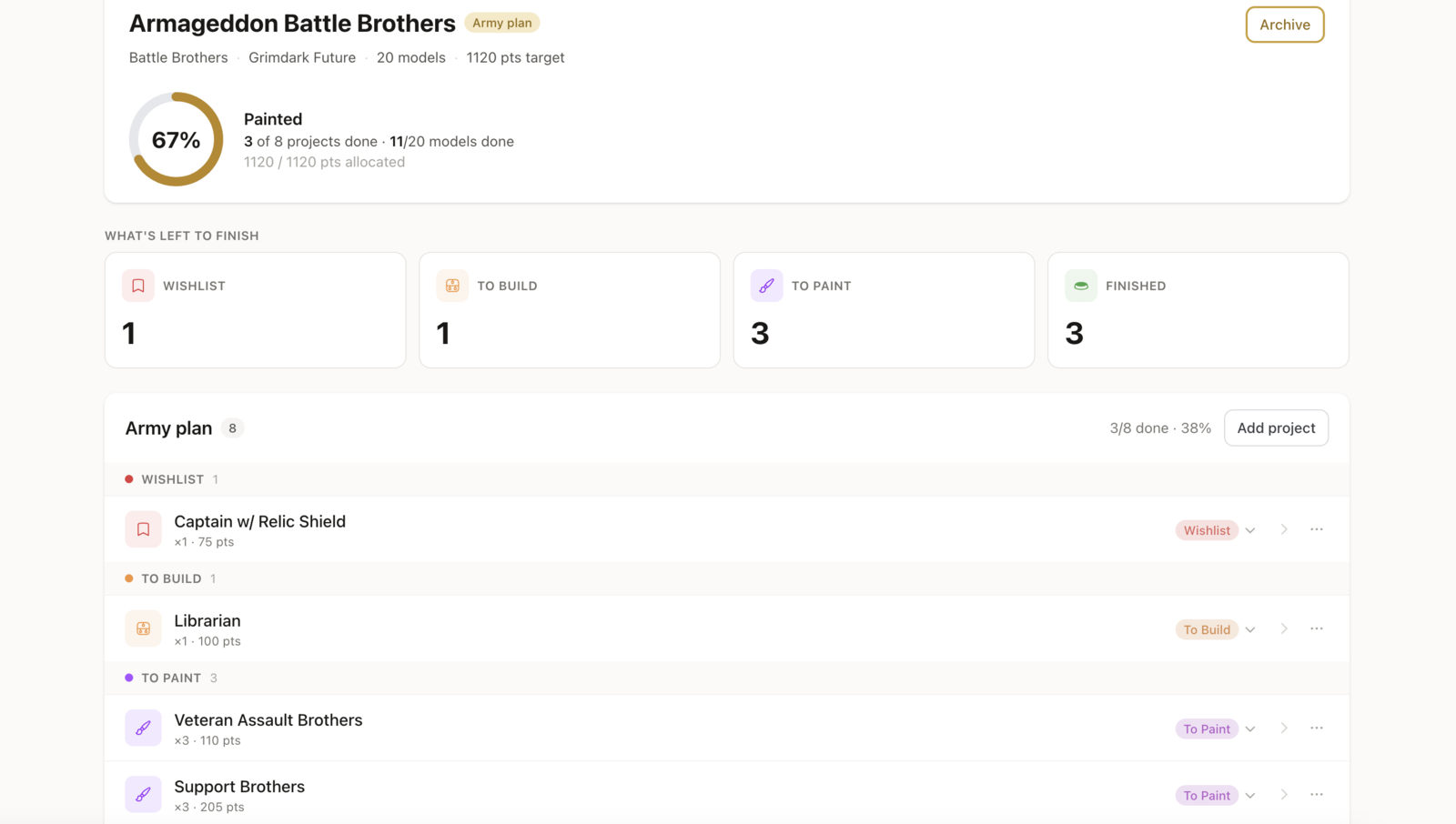
Track every model through every stage
- Wishlist
- To Build
- To Paint
- Finished
Everything in one place
Stop juggling apps and spreadsheets
Most hobbyists keep paint lists in one place, project notes in another, and progress tracked nowhere at all. BattleReady ties it together.
Watch the pile shrink
BattleReady moves every model through Wishlist → To Build → To Paint → Finished, so a backlog you've been avoiding turns into a list you can clear.
Army projects
Group every unit, model, and recipe under the army it belongs to. Track each one from Wishlist to Finished.
Paint inventory that knows your projects
Search 3,700+ paints across every major brand. Mark what you own, and BattleReady shows which paints your active armies still need.
Import from New Recruit & BattleScribe
Bring rosters in from the apps you already use. Units, points, and faction metadata land in your project ready to track.
Paint recipes that survive long breaks
Save step-by-step recipes with the paints used at each stage. Come back six months later and pick up exactly where you left off.
Multiple armies, one place
Running a 40K Crusade and a Warcry warband? Both live in BattleReady, each with its own progress, paints, and recipes.
The workflow
Four stages, sprue to tabletop
Every model moves through its own stages, so a half-built or primed unit shows real progress instead of nothing.
Step 1
Wishlist
You don't own it yet — still to track down.
Step 2
To Build
On the shelf — boxed, on sprue, or part-built.
Step 3
To Paint
Built and primed, waiting for paint.
Step 4
Finished
Painted and based. Tabletop ready.
How it works
Import. Track. Finish.
- 1
Import your roster
Paste a New Recruit export, drop in a BattleScribe file, or build a project from scratch.
- 2
Mark what you own
Tick off the units and paints already on your shelf — and see anything you still need.
- 3
Track every stage
Advance each model through the workflow as you build, prime, and paint it.
- 4
Finish & field it
Watch the progress bar fill, clear the backlog, and get the army on the table.
Frequently asked questions
Ready to finish that army?
Free on web and Android. iOS app coming soon.