Roster import
Bring the list you built
Import your roster from New Recruit, BattleScribe, or the Warhammer app, and track every unit from Wishlist to Finished. BattleReady tracks armies; it does not build lists, so bring one you have already made.
Reads the apps you already use
Four ways in
Drop in a file or paste your list. Your units are ready to track without re-typing a single one.
New Recruit
Export JSON or text and drop the file in. New Recruit is the active builder, and the path we recommend.
BattleScribe
Upload your .rosz or .ros file. It still imports after BattleScribe left Google Play in 2025.
Warhammer app
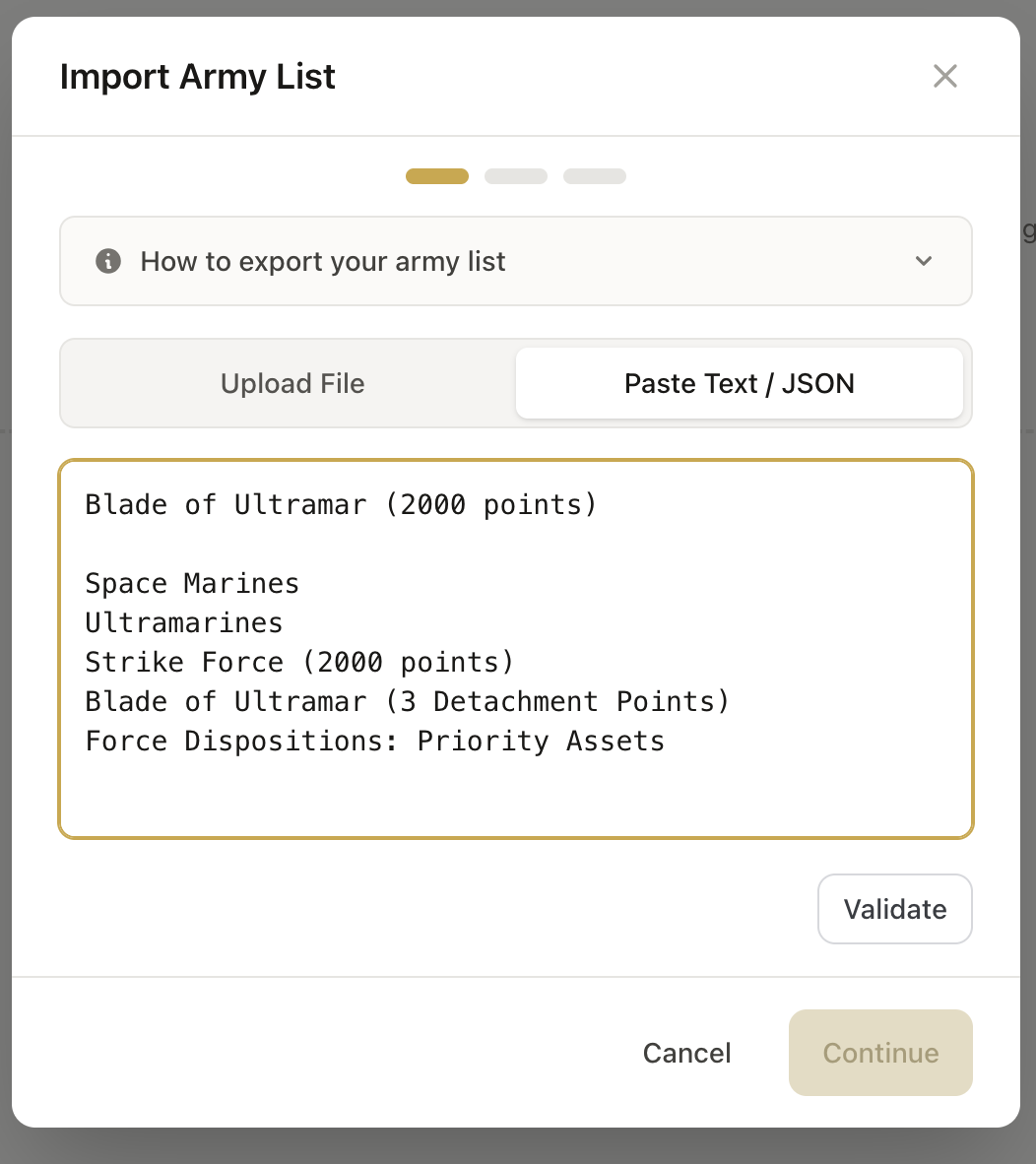
Open your list in the 40,000 or Age of Sigmar app, share it as text, and paste it in.
MundaManager
Necromunda gang roster — upload the PDF and BattleReady reads it.
From file to tracked army
- 1
Export your list
Save or share your roster from New Recruit, BattleScribe, or the Warhammer app.
- 2
Drop it into BattleReady
Upload the file or paste a text list. BattleReady reads the units, points, and faction.
- 3
Confirm the units
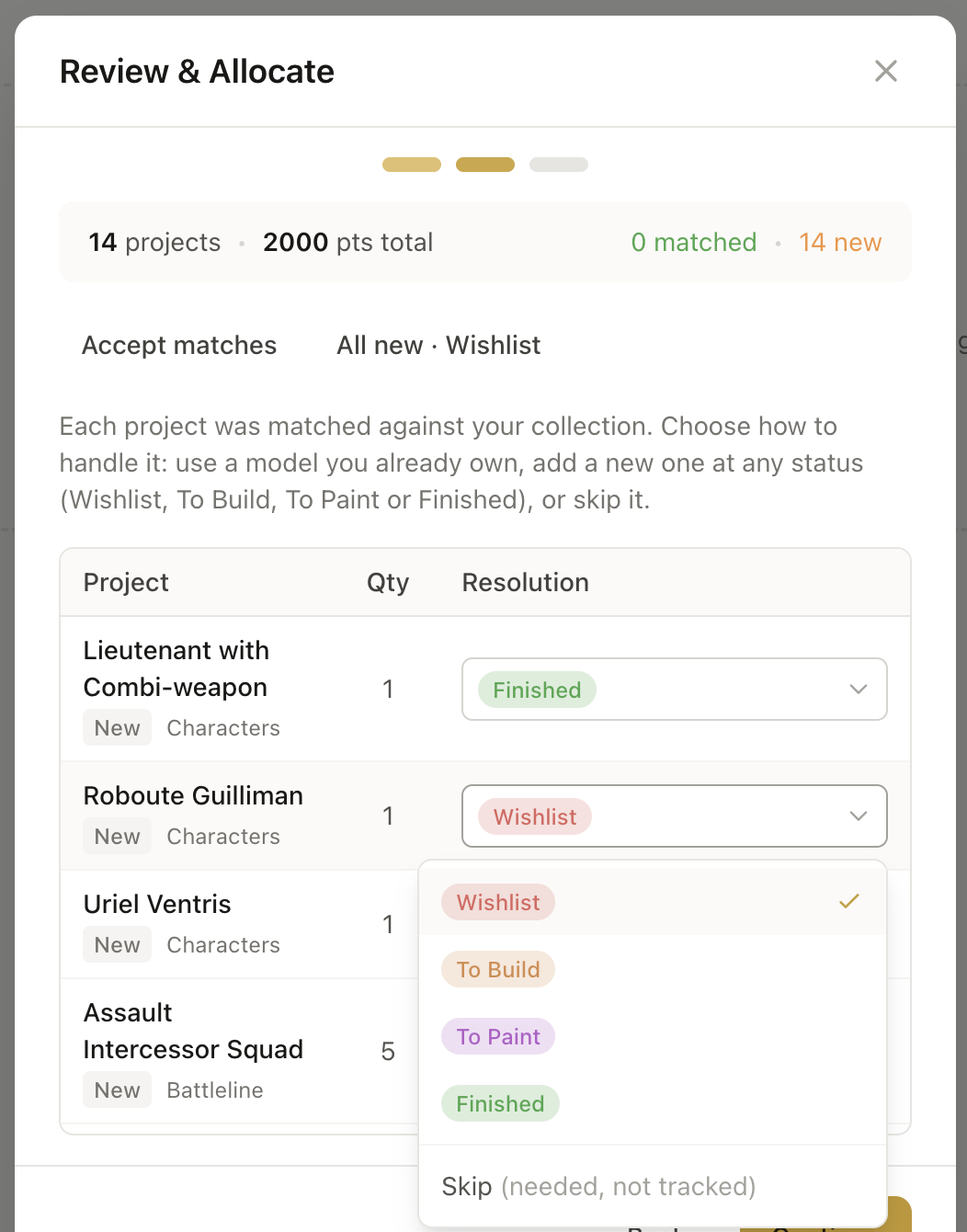
Check what it found, fix anything it missed, and the army is ready to track.
After the import
The roster becomes a project
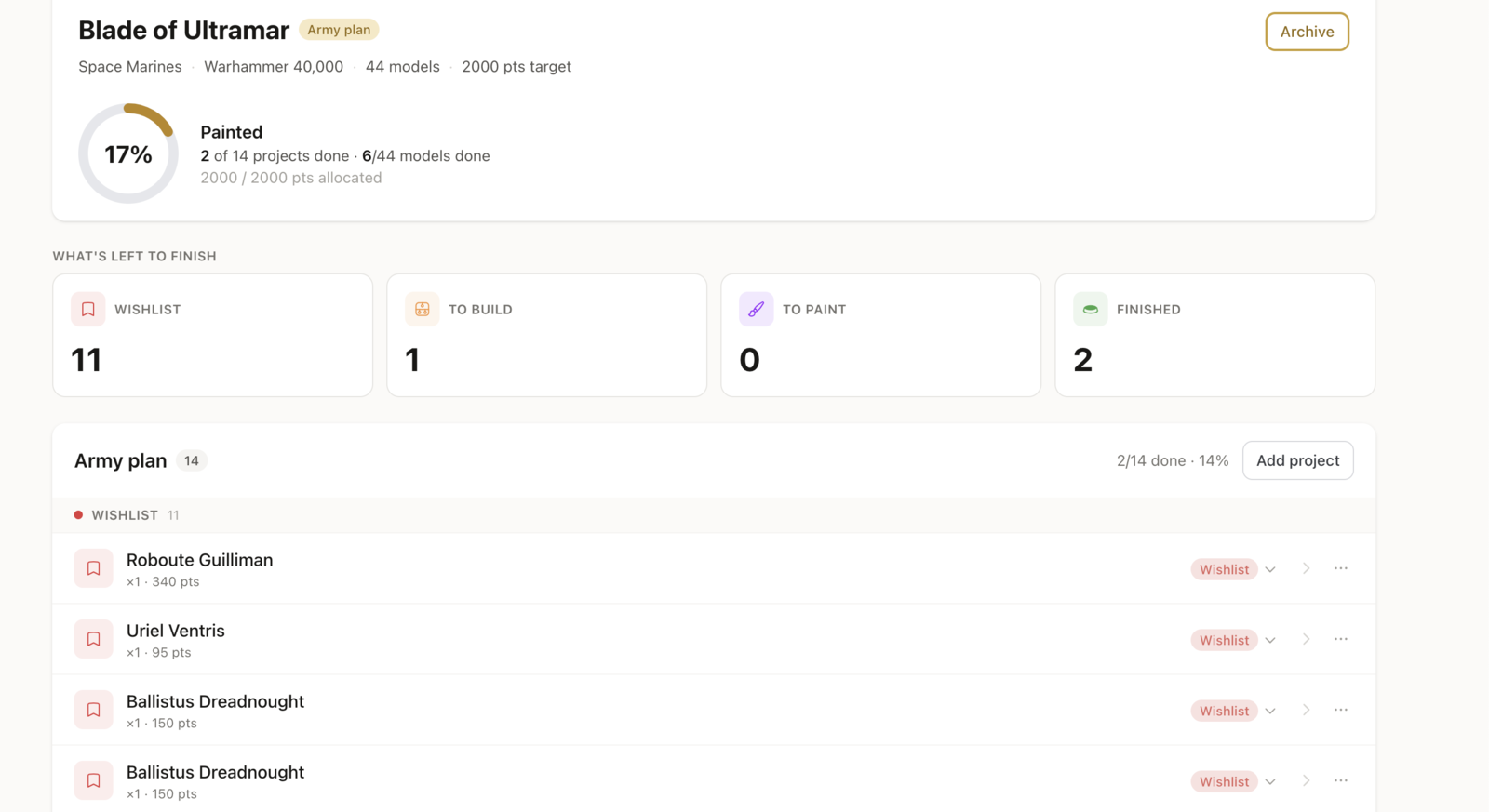
Importing is the start. From there, BattleReady tracks the army to painted.
Every unit gets a status
Each unit starts at Wishlist and moves through To Build, To Paint, and Finished as you work.
A progress bar for the army
The bar fills as units reach Finished, so you can see how close the list is to table-ready.
A wishlist that knows the gaps
BattleReady lists the models and paints this army still needs, deduped against what you own.
Moving off BattleScribe?
Your .rosz and .ros files still import, so the rosters you built are not stuck in an app that lost its store listing. Upload the file and the army comes across.
One thing to know: BattleReady tracks and paints an army, it does not build or validate lists. New Recruit took over as the active builder, and BattleReady imports its exports too.
Frequently asked questions
Stop re-typing your army.
Free on web and Android. iOS app coming soon.